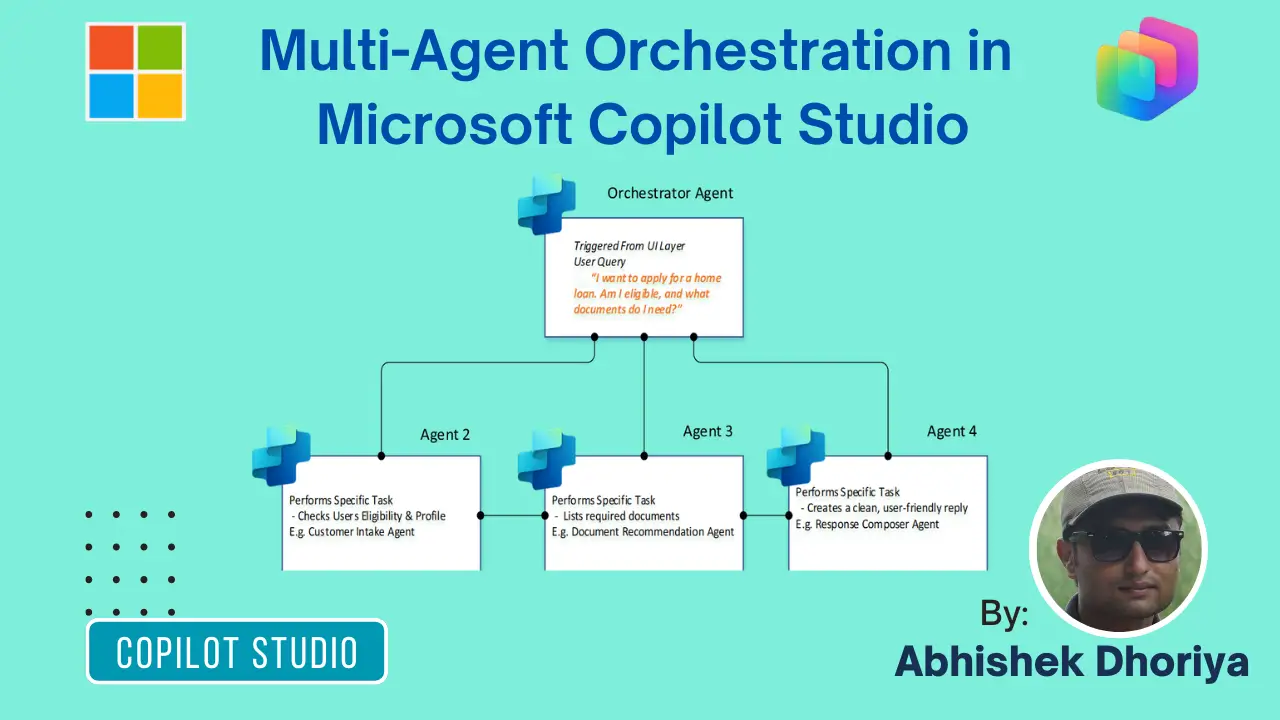
Introducing Multi-Agent Orchestration in Microsoft Copilot Studio
In the evolving landscape of AI and cloud solutions, Multi-Agent Orchestration in Microsoft Copilot Studio is a game-changer for organizations leveraging Microsoft technologies. This innovation is reshaping automation and productivity paradigms in Dynamics 365, Azure, and beyond. As a Microsoft Solutions Expert, let’s dive deep into how this orchestration is revolutionizing business workflows and integrations.
What is Multi-Agent Orchestration?
Multi-Agent Orchestration, in essence, refers to the management and coordination of multiple AI agents to collaboratively handle complex tasks. In Microsoft Copilot Studio, this orchestration allows for seamless integration and intelligent automation across Microsoft’s ecosystem—transforming how businesses operate and innovate.
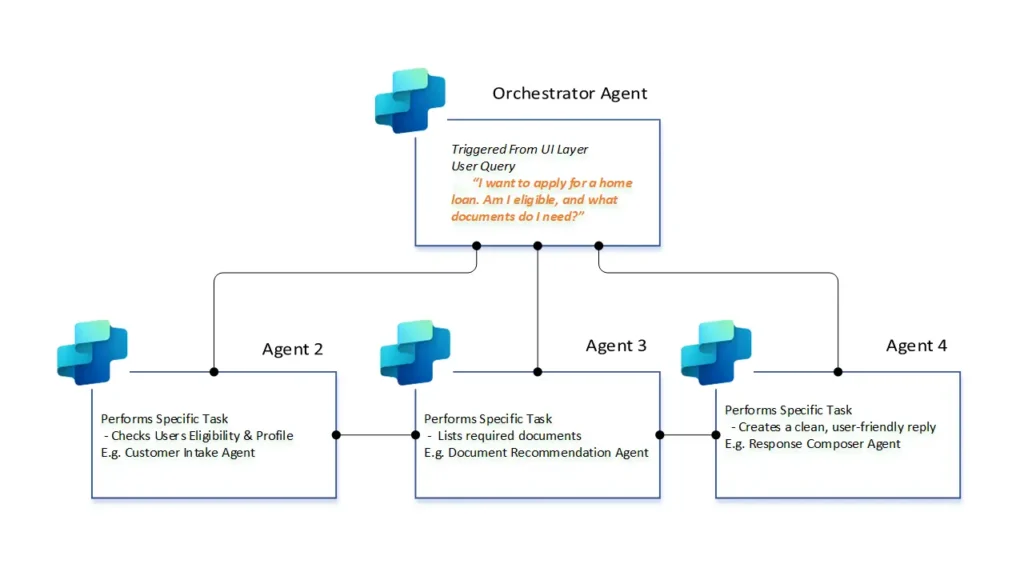
Agentic AI Practical Scenario: The “Smart Mortgage” Journey
Imagine a customer, David, who wants to apply for a home loan. In a traditional setup, David would navigate multiple forms and calls. With multi-agent orchestration, the experience is seamless:
- Intent Capture: David asks, “I want to apply for a home loan. Am I eligible, and what documents do I need?”
- Strategic Planning: The Orchestrator recognizes two distinct goals: Eligibility Check and Document Requirements. It uses the “Planner” to decide the order of operations.
- Agent 1 (Eligibility Specialist): The Orchestrator calls this agent, which connects to the bank’s CRM (like Dynamics 365) via a secure connector to check David’s credit score and income.
- Agent 2 (Doc-Recommender Specialist): Once eligibility is confirmed, this agent pulls the latest compliance requirements to generate a personalized checklist.
- Agent 3 (Response Composer): This agent gathers the outputs from the previous two and crafts a clear, empathetic response: “Good news David! Based on your profile, you are pre-approved for up to $500k. To move forward, please upload your last two tax returns and a pay stub”.
This mechanism enables different AI agents, each with specialized tasks, to collaborate and respond collectively within a unified system. This coordination ensures that complex workflows are executed efficiently, promoting agility and precision in operations. It’s akin to having a team of experts working in harmony, each bringing their unique skill set to the table.
Think of it like a Conductor in a Symphony. Instead of one musician trying to play every instrument, you have specialists for the violin, cello, and drums. The Orchestrator (the Conductor) ensures everyone plays in sync.
In Copilot Studio, this is achieved through a Parent-Child architecture:
- The Orchestrator (Parent Agent): Acts as the single entry point. It captures user intent, creates a plan, and delegates tasks to the right specialists.
- The Specialists (Child/Connected Agents): Narrowly scoped agents designed to handle specific domains like “Mortgage Eligibility” or “Legal Compliance”.
Why Multi-Agent Orchestration Matters in Copilot Studio?
Enhancing AI-Powered Business Automation
In today’s competitive landscape, AI-powered business automation is not just a luxury but a necessity. Multi-Agent Orchestration in Microsoft Copilot Studio plays a pivotal role in automating repetitive tasks, thus freeing up human resources for strategic decision-making and innovation. Imagine an orchestrated setup where AI agents manage inventory, handle customer queries, and optimize supply chains without missing a beat.
Seamless Dynamics 365 Integration
With Copilot Studio Multi-Agent Orchestration, integrating AI into Dynamics 365 becomes intuitive. This orchestration empowers businesses to customize interactions, utilize data analytics, and enhance customer experiences effectively. From automating marketing campaigns to intelligent CRM systems, multi-agent orchestration makes it all possible, thus enabling a more personalized and efficient service delivery.
Azure Cloud Solutions and Services
Multi-agent orchestration Copilot Studio allows for the integration and optimal utilization of Azure cloud solutions. By orchestrating multiple AI-driven tasks, businesses can harness the power of Azure for scalable and resilient operations. This capability ensures that enterprises can scale their operations efficiently without compromising on performance or reliability.
Boosting Microsoft 365 Productivity
Productivity tools in Microsoft 365 gain a significant edge through multi-agent orchestration. From collaborative document editing to real-time project management, orchestrated agents streamline processes and enhance team efficiency and output. This transformation in productivity tools emphasizes how well-integrated AI can revolutionize everyday tasks.
Why This is a Game-Changer for IT Professionals
For the non-developer IT professional, the power of this system lies in its low-code modularity:
- Dynamic Chaining: You don’t need to hard-code every “If/Then” path. The AI uses Dynamic Chaining to automatically link information between agents, understanding that the output of an “Eligibility Check” serves as the input for a “Loan Quote”.
- Modularity & Reuse: If the legal team updates the mortgage document requirements, you only update the Doc-Recommender Agent. You don’t have to rebuild the entire system.
- Centralized Governance: Every agent gets a unique Microsoft Entra Agent ID, allowing IT admins to monitor, secure, and manage the entire fleet from one place.
Implementation Patterns at a Glance
| Pattern | Best For | Description |
| Embedded Agents | Tightly scoped tasks | Built directly inside a parent for specific internal logic. |
| Connected Agents | Cross-department reuse | Independent agents (e.g., a “Fraud Detection Agent”) linked to the hub. |
| Model Context Protocol (MCP) | Real-time data | Connects agents directly to external knowledge servers and APIs. |
Practical Implementation Insights
Creating AI Agents in Microsoft Copilot Studio
To leverage the power of multi-agent orchestration, businesses must first Create AI Agents in Microsoft Copilot Studio. The process is intuitive and allows users to define specific roles and tasks for each agent. Here’s how it’s done:
- Define Agent Roles: Start by determining the specific functions each AI agent will perform.
- Set Operational Constraints: Configure the logic that governs how agents interact.
- Integrate Workflow Processes: Seamlessly embed agents into existing workflow systems for optimal performance.
Copilot Multi-Agent Orchestration
Implementing Copilot Multi-Agent Orchestration allows businesses to manage and optimize complex processes. Here are steps to streamline this implementation:
- Analyze Workflow Requirements: Understand the complexity and dependencies in your workflows.
- Customize Agent Interactions: Configure agents to communicate seamlessly based on tasks and outputs.
- Monitor and Refine: Continuously iterate on agent performance for enhanced efficiency and accuracy.
Insights from the Field
As we saw at Microsoft Ignite 2025, organizations like EY are already seeing a 95% reduction in lead time for complex processes by implementing these agentic workflows. The move from “single-purpose bots” to “intelligent systems” is not just a technical upgrade; it’s a strategic transformation.
FAQ Section
What is Multi-Agent in Copilot Studio?
Multi-Agent Orchestration involves the coordination of multiple AI agents working together to complete multifaceted tasks within a system. It enhances automation and efficiency by leveraging specialized agents for different roles.
Is it possible to have multi-agent workflows in Copilot Studio?
Yes, multi-agent workflows are possible in Copilot Studio. The platform supports complex coordination among AI agents to optimize and automate various business processes, enhancing productivity and accuracy.
How To Use Multi-Agent in Copilot Studio?
To use multi-agent orchestration effectively:
- Establish Clear Objectives: Define what each agent will achieve.
- Design Collaborative Interactions: Enable agents to share data and insights.
- Utilize Analytical Tools: Measure agent performance against set KPIs for continuous improvement.
Why do responses differ between agents?
Responses differ based on the specialization and logic programmed into each agent. Different agents are configured to handle distinct tasks and datasets, resulting in varied outputs. This diversity is key to addressing complex scenarios holistically.
Conclusion
Harnessing the full potential of Multi-Agent Orchestration in Microsoft Copilot Studio requires an understanding of both the technical intricacies and practical applications within the broader Microsoft ecosystem. By integrating this orchestration into business processes, organizations can drive efficiency, foster innovation, and maintain a competitive edge. As technology continues to evolve, exploring these advancements becomes crucial for any business aiming to stay ahead.
Microsoft technology professionals are encouraged to delve deeper into Copilot Studio’s capabilities and explore how multi-agent orchestration can transform their business operations today. Embrace the future of AI with Microsoft Copilot Studio and lead the charge towards innovation.
References
- Copilot Studio Blog: Multi-Agent Orchestration
- Why Do Responses Differ Between Agents?
- YouTube – Copilot Studio Multi-Agent Orchestration
- LinkedIn – When One Agent Isn’t Enough
- Understanding Microsoft Power Platform Functions: A Beginner’s Guide to the FirstN and LastN Functions